
Basic FDTD Simulation - Python style commands#
A simple example to demonstrate using PyLumerical.
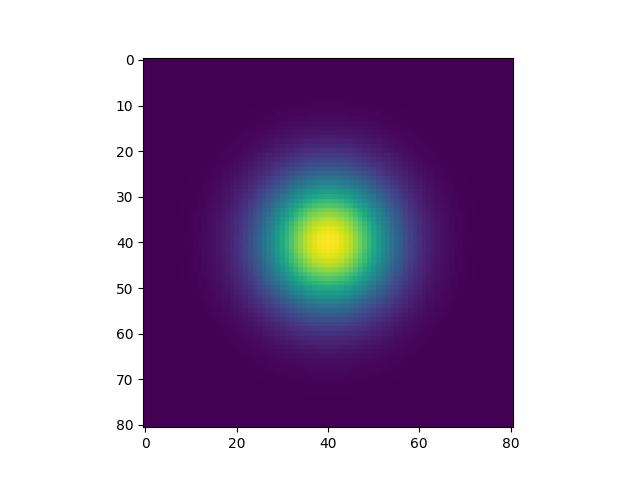
Sets up and runs a basic FDTD simulation. E field results are plotted using Matplotlib Demonstrates initializing objects using keyword arguments and OrderedDict.
Prerequisites:#
Valid FDTD license is required.
Perform required imports#
[ ]:
1from collections import OrderedDict
2
3import matplotlib.pyplot as plt
4
5import ansys.lumerical.core as lumapi
Open interactive session with the “with” context manager, run session, retrieve and plots results, and close session#
[ ]:
 6# Set hide = True to hide the Lumerical GUI.
 7with lumapi.FDTD() as fdtd:
 8    # Set up simulation region using keyword arguments
 9    fdtd.addfdtd(x=0, x_span=8e-6, y=0, y_span=8e-6, z=0.25e-6, z_span=0.5e-6)
10
11    # Set up source using Python OrderedDict
12    # OrderedDict is recommended when order is important
13    # Here, the scalar appproximation prop should be set before waist radius
14    props = OrderedDict(
15        [
16            ("injection axis", "z"),
17            ("direction", "forward"),
18            ("x", 0),
19            ("x span", 16e-6),
20            ("y", 0),
21            ("y span", 16e-6),
22            ("z", 0.2e-6),
23            ("use scalar approximation", 1),
24            ("waist radius w0", 2e-6),
25            ("distance from waist", 0),
26            ("wavelength start", 1e-6),
27            ("wavelength stop", 1e-6),
28        ]
29    )
30    fdtd.addgaussian(properties=props)
31
32    # Set up monitor using regular dict
33    props = {"monitor type": "2D Z-normal", "x": 0, "x span": 16e-6, "y": 0, "y span": 16e-6, "z": 0.3e-6}
34    fdtd.adddftmonitor(properties=props)
35
36    # Run and save simulation
37    fdtd.save("fdtd_tutorial.fsp")
38    fdtd.run()
39
40    # Retrieve and plot results
41    E2 = fdtd.getelectric("monitor")[:, :, 0, 0]
42
43    plt.figure()
44    plt.imshow(E2)
45    plt.show()
46
47    print("Example complete. Press Enter to close.")
48    input()